Musicvy
A downloadable tool for Windows
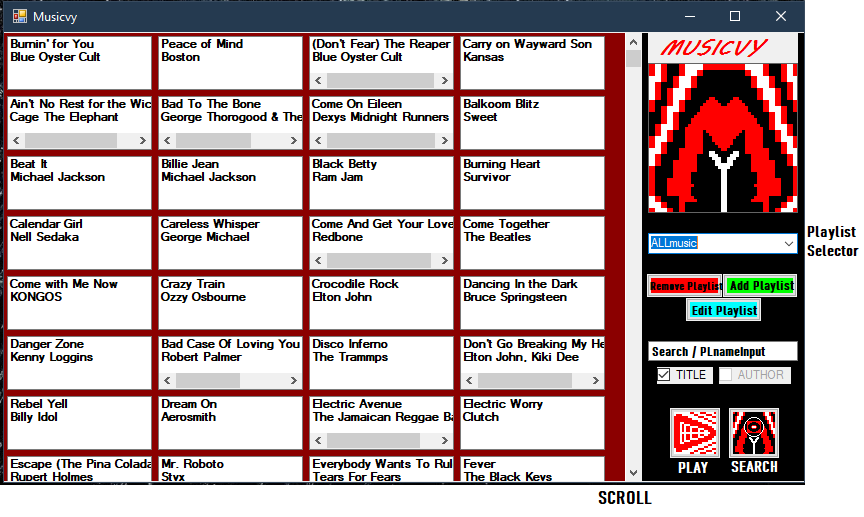
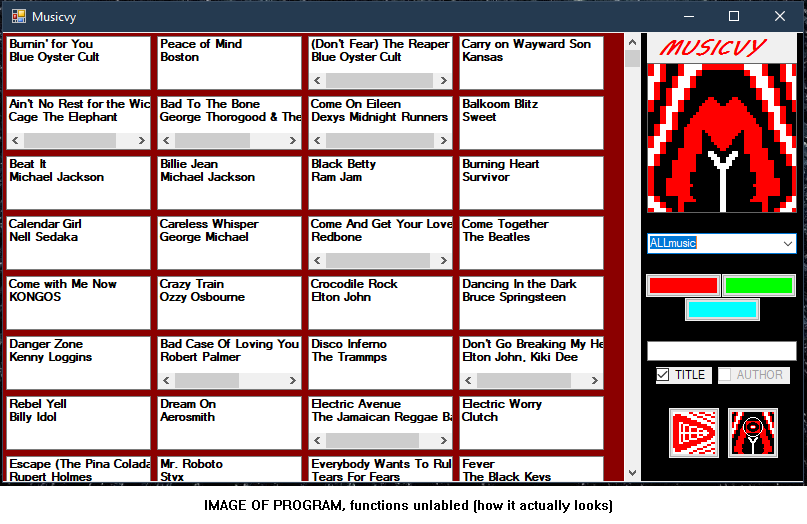
Musicvy is a free to use Windows Form application that displays song titles and authors from playlists (which are .txt files). Also has limited music playing (via Youtube) and searching functionality.
You can create, edit, and delete playlists (don't delete or rename ALLmusic).
You can relatively quickly listen to a song by clicking the song and clicking play, it will search for it on YouTube, then you have to click on the right video to listen. You can right-click a YouTube video screen and click loop to loop the video.
There is NO auto play feature for the application, the application won't automatically play the next song in the playlist when the selected song is done.
ALLmusic (the default playlist) contains my personal playlist that has around 1,299 songs by my calculations. You can clear the contents of ALLmusic, cut its contents over to a created empty playlist, or whatever.
You can search the ALLmusic playlist but can't search created playlists so add your music to ALLmusic for it to be searchable.
It is highly recommended and important that you download and read the readme.rtf file for more in-depth info on the operation of Musicvy and its ERRORS, it can also be found in the folder named "Program folder" from MusicvyInstall.zip
MoreSongs.txt is a list of additional songs, that i will add too over the years.
This project will not receive any updates besides MoreSongs.txt . Thank you for reading and sorry for any grammatical errors.
Download
Install instructions
[Installation] Download MusicvyInstall.zip
- Right click MusicvyInstall.zip and select "Extract All...", select extract location and confirm.
- Move or Copy "Program Folder" from the extracted items to desired location.
- Rename "Program Folder" if you want.
- Make sure you know where to find it because uninstalling Musicvy will not delete Program folder. You must manually delete it.
- run setup.exe --> set install location (or keep default), finish Setup Wizard --> it will prompt you to select "Program Folder" when finished installing.
- Musicvy should be in Start menu and Desktop now, move / delete as desired.
- Delete the "MusicvyInstall" folder and delete the zip you downloaded or keep somewhere for future reinstallation potential.
DONE
Read readme.rtf for important knowledge on program operation, uninstallation, or if you need to review Installation instructions above. (Can be found in "Program Folder" or downloaded separately above.)
Sidenote: Running program after moving or renaming "Program Folder" will prompt you to select the program folder again.

Leave a comment
Log in with itch.io to leave a comment.